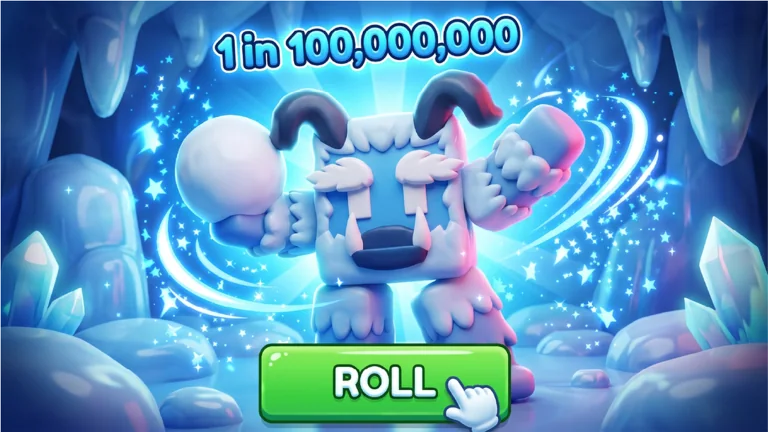
Start from the official loop
RNG Heroes does not need a complicated explanation before you enter the game. Heroplay Studios describes it as a sequence of three connected actions: roll for rare heroes, battle monsters, and unlock biomes and zones. Each action feeds the next. Rolls give you a collection to work with; battles are where that collection is tested; new areas give the session a direction beyond repeating the same screen. When you are new, use that loop to decide what to do next instead of looking for a single magic route.
Begin by reading the game’s own description once. It tells you the intended priorities better than an unlabeled community tier image can. If a screen in the live experience changes, trust the live UI and the developer’s channels over an old guide. This wiki will keep dated snapshots, but the game itself is the final authority for what your account can do right now.
A practical opening rhythm is simple. Enter the experience, complete whatever onboarding the live client presents, and make a small number of rolls so you can see how the collection interface is organized. Move into the available combat loop and watch whether the heroes you received are contributing in the way the current client describes. When the world interface presents a new biome or zone, treat it as a progression choice rather than a checkbox. This keeps your decisions tied to visible game information.

Claim the group bonus first
The one early bonus confirmed directly on the official Roblox page is the social bonus: like RNG Heroes and join Heroplay Studios for +10% Gold and +1 Luck. Claim it before comparing early sessions with another player. The Gold bonus is attached to the resource named by the developer, while Luck is the stat the game itself calls out beside the group bonus. That makes it more dependable than any third-party claim about hidden thresholds or drop-rate math.
Open the official experience page from the Play link in this site footer, use the creator name to reach Heroplay Studios, and confirm that you joined the correct Roblox group. The group has a large public membership, so take the extra moment to check the name rather than following a copied link from a random video description. Once the game recognizes the bonus, continue normally; there is no reason to turn a confirmed free advantage into a complicated build decision.
This also sets a good habit for later updates. When you see a code, a new hero name, or a zone claim on social media, check whether the official game page or creator group supports it. A live Roblox title can change much faster than a search result. Independent guides are most useful when they preserve dates and sources, not when they pretend every launch-week detail is fixed forever.

Roll with a small decision rule
A roll is meaningful only if you know what you will do with the result. Avoid trying to decide every hero’s permanent value from a single pull. First, inspect the rarity and role labels that the current client shows. Then take the result into the normal battle loop and compare how your team feels in the content you have actually reached. If the live UI offers an equip, inventory, or team screen, use that screen as your source of truth for the current roster rather than a screenshot from a previous patch.
The community roster page on this site is deliberately marked as a dated July snapshot because its names, rates, and tier labels come from player-facing pages rather than a developer-published database. It is useful for recognizing the launch vocabulary, but it is not a license to assume every result has the same value after an update. Use it as a reference, then let the live client decide what is available to your account.
The best early outcome is not necessarily the rarest-looking one on a community graphic. It is the hero that helps you keep moving through the loop in the version you are playing. Keep the question practical: does this result make the next few fights smoother, make the interface easier to manage, or reveal a meaningful new choice? If the answer is no, keep rolling and keep your Gold and time focused on the next clear opportunity.

Use battle to test, not to guess
The official description confirms that RNG Heroes asks you to battle various monsters. Use those fights to learn the visible behavior of your current team. Watch where the game places your heroes, how the battle interface reports progress, and which game systems become available after a clear. This is better information than a copied claim about a late-game route you have not unlocked yet.
Take notes on the version you are playing if you want to compare a community recommendation later. A simple note such as the game update date, the biome shown in your interface, and the heroes you actually used is enough. It makes it easier to spot when a guide is describing a different patch. It also makes your next session deliberate: you are testing one change at a time instead of swapping everything after a single fight.
Do not create a false distinction between rolling and fighting. The game’s appeal comes from their connection. A hero collection with no combat test is only a list, and combat with no reason to improve your collection becomes repetitive. The fastest way to understand RNG Heroes is to keep alternating between the two while the game gives you new zones to explore.
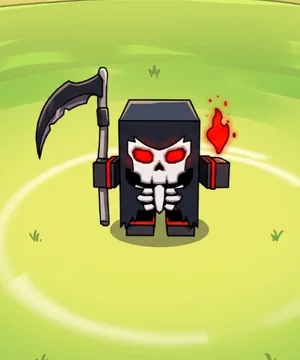
Make biome progression a checkpoint
Heroplay Studios promises many biomes and zones but does not publish a complete official unlock table on the experience page. That means the right beginner rule is to use the world map or zone UI you see in game as the authority for names, costs, and requirements. If a community route says to rush somewhere that does not match your live client, the live client wins.
Before you move into a new area, check three things: you understand the heroes you have equipped, you have claimed the official group bonus, and your current battles feel readable rather than chaotic. The goal is not to delay progress; it is to make the next area a real choice. New biomes are more satisfying when you can tell what changed and why your collection matters there.
As more first-party patch notes appear, this guide can replace broad advice with exact zone data. Until then, a transparent guide is better than a decorative map filled with invented enemy names and costs. Play the available zone, compare it with the next one in the live UI, and use official updates to decide when a new route is worth revisiting.
Keep updates in your routine
RNG Heroes is a live Roblox experience. The official game record shows a July 2026 creation date and a recent update, so you should expect the surface area to grow. New rolls, heroes, zones, and events are most useful when you can identify the patch or announcement that introduced them. That is why the site has a small Updates page instead of a fake permanent roadmap.
Follow the experience, join Heroplay Studios, and check the Roblox page before spending a long session on an old recommendation. If you use a community code or roster entry, compare it with the current game UI. A short verification habit is more valuable than memorizing a wall of allegedly exact values.
Your first few sessions should leave you with a basic understanding of the loop, the official social bonus claimed, and a clear place to check the next update. That is a stronger start than chasing a list of promises. From there, use the Heroes overview for the dated launch snapshot, Codes for community-reported redemption information, and the FAQ when you need a quick source-backed answer.

Frequently asked questions
What should I do first in RNG Heroes?
Start with the official loop: roll for heroes, battle monsters, and explore the available zones. Before comparing results, like the experience and join Heroplay Studios for the developer-listed +10% Gold and +1 Luck bonus. Then let the visible client interface, not an old screenshot, decide what your next account action can be. Keep the session small enough that you can recognize which roll or battle changed the available options.
Where should I check for live changes?
Check the official Roblox experience page and the Heroplay Studios group first. A community wiki can preserve useful snapshots, but the live game interface and developer announcements decide what is currently available. Record the date of a community claim and verify it again after a game update before spending Gold or time around it. This source habit matters most when a code, roster name, or claimed biome requirement has no matching first-party announcement.